




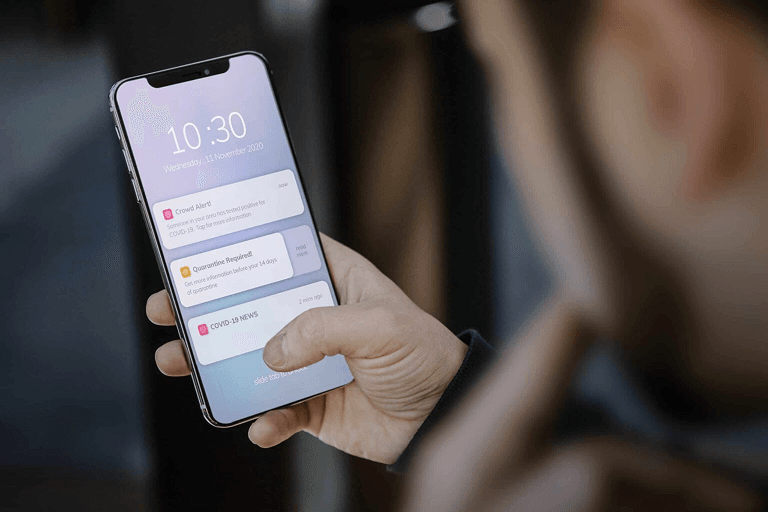
A good push strategy can save an app. A bad one gets it deleted. These short alerts land right on a user’s phone. They show up even when the app is shut. Done well, they keep users close. Done poorly, they push users away.
If you’re working on mobile app development, it helps to know how push notifications work. Modern systems use AI to tailor each message. They also use behavior-based triggers and rich media. The goal is simple. Reach the right person at the right time.
The data backs this up, too. Users who get a push in their first 90 days stick around nearly three times longer. That’s according to research cited by Mobiloud. And 65% of users say push is the reason they return to an app. That’s per WiserNotify’s 2026 report.
This guide covers what you need to know in 2026: how the tech works, current trends, and what actually works.
Understanding Push Notification Technology
What Are Push Notifications, and Why Do They Matter?
A push alert is a short message. It goes straight to a phone. It shows up whether the app is open or shut. These used to be plain text. Now they can include images and buttons. Some even include short forms. The goal stays the same. Reach people at the right moment.
More systems now use machine learning, too. It picks the best time to send. It matches content to each user. And it fights a big problem: alert fatigue. Send too many, too often, and users tune out.
How Push Notification Systems Actually Work
Push runs on cloud platforms behind the scenes. The two biggest platforms are Firebase Cloud Messaging (FCM) and Apple Push Notification Service (APNs). These handle delivery and tracking in real time. That’s what powers the targeted messaging you see in modern mobile app development frameworks.
The best systems also use predictive analytics. They pick the right time and content for each user. This is a big reason tailored messages beat generic blasts.
Where Push Notification Design Is Headed
AI-Powered Tailoring
AI is the biggest shift in push right now. Smart tools track what a user buys, clicks, and skips. They use that data to shape messages that feel relevant. This isn’t a future trend. It’s already how top apps work.
Interactive and Rich Media
Modern alerts support quick-action buttons and image carousels. Some include video previews or short forms. A user can confirm an order right from the alert. They never open the app at all. Notifications with images get click rates about seven times higher than plain text, according to WiserNotify.
Consistency Across Platforms
The strongest brands keep messaging consistent. iOS, Android, and web apps should all feel the same. It shouldn’t matter which device a user picks up. This takes real planning. The same care goes into choosing a mobile app developer for an MVP: plan for it early, or it won’t happen at all.
Why Push Notifications Are Worth the Investment
Stronger User Retention
A good push strategy improves how long users stick around. Targeted, behavior-based notifications can triple retention compared to generic messages, according to Mobiloud. That gain adds up fast. A 5% bump in overall retention can raise a business’s long-term value by up to 50%, per WiserNotify.
Real-Time, Direct Communication
Push reaches users right away. That makes it perfect for anything urgent, like order updates, appointment reminders, and flash sales.
A Genuinely Low-Cost Channel
Once your app is live, sending a push costs almost nothing. There’s no per-user fee, unlike SMS or many email tools. Your real cost is building the app and the strategy behind it. After that, push is one of the cheapest ways to keep users engaged.
Smarter Conversion Timing
Testing your send times, instead of guessing, can boost reactions by up to 40%, per Mobiloud. Small, tested changes beat gut-feel scheduling every time.
Types of Push Notifications Worth Using
- Behavioral triggers. Sent based on what a user just did, or didn’t do. Think cart abandonment reminders or win-back messages.
- Location-aware messages. Sent based on where a user actually is. Great for local deals or nearby store alerts.
- Progressive tailoring. Messages that get sharper over time as the app learns a user’s habits.
- Rich, interactive formats. Notifications with galleries, polls, or video. These invite action instead of just delivering information.
Push Notifications Across Industries
- E-commerce and retail: price alerts, restock notices, tailored picks, and cart recovery messages.
- Healthcare: medication reminders, appointment confirmations, and check-ins that support follow-through.
- Financial services: fraud alerts, transaction confirmations, and budget reminders.
- Streaming and media: content picks, premiere alerts, and viewing reminders based on real habits.
Best Practices That Actually Move the Needle
- Let data pick the send time. Use real engagement history, not guesswork, to decide when each user is likely to respond.
- Tailor without overreaching. Use behavior data to tailor messages. Stay clear about what you collect and why.
- Test relentlessly. Run A/B tests on copy, timing, and visuals. Small changes add up fast.
- Respect frequency limits. One notification a week keeps opt-out rates low, around 10%, per research cited by Business of Apps. Push 3 to 6 times a week, and opt-outs can jump to 40%. Restraint isn’t just polite. It protects your channel long-term.
- Coordinate across channels. Push works best alongside email and in-app messages. It’s not a standalone tactic.
What’s Next for Push Notifications
Voice alerts through smart speakers are on the rise. So are AR notifications that let users preview a product straight from a message. Predictive systems that guess what a user needs, before they ask, are moving from experimental to normal. None of this replaces the basics above. It builds on them.
Getting Push Notifications Right
A strong push strategy comes down to a few habits, done consistently. Tailor messages with real data. Respect user preferences. Keep testing. Teams that do this well build real engagement instead of noise. If you’re building a new app or fixing an old one, review common mobile app development challenges early. Many push problems start with gaps in the app strategy itself.
Frequently Asked Questions
What makes push notifications effective today?
The best campaigns mix AI tailoring, well-tested send times, and rich media. Users need a real reason to engage, not just another alert to dismiss.
How do push notifications improve retention?
Notifications built around real user behavior beat generic blasts every time. Behavior-based targeting can triple retention compared to one-size-fits-all messaging.
What are the current trends in push notification design?
Three trends stand out: AI tailoring, interactive media like buttons and carousels, and a consistent feel across every platform.
How often should a business send push notifications?
Less is more. About one per week keeps opt-out rates low. Send several times a week, and users are far more likely to turn notifications off for good.
Which industries benefit most from push notifications?
E-commerce, healthcare, financial services, and streaming media all see strong results. Each one has frequent, time-sensitive reasons to reach users directly.
Sources
- Business of Apps — Push Notifications Statistics (2026)
- Mobiloud — 50+ Push Notification Statistics for 2025
- WiserNotify — 30+ Push Notification Statistics (2026)
- Sci-Tech-Today — Push Notification Statistics By Content Type, Trend and Facts (2026)
