





Fast workflows can feel like a big win.
Your team finishes tasks faster. Projects move quickly. Deadlines become easier to meet. Automation removes repeated work. Everything looks smoother.
But speed alone is not enough.
A fast workflow can still fail if there is no quality control. A small error can pass through the process and create a bigger problem later.
For example, a bug may go live. A wrong number may appear in a report. A typo may reach a client. A missing detail may delay the next step.
As a result, the time saved at the start can be lost later through rework.
That is why every fast workflow needs quality checks. Speed helps your team move quickly. Quality control helps your team move in the right direction.
The Problem With Moving Too Fast
It is easy to confuse speed with progress.
When tasks are completed quickly, the team feels productive. Work moves across the task board. Reports are sent. Emails are answered. Projects look active.
However, fast work is not always accurate work.
When speed becomes the only goal, people may stop checking the details. They may focus only on finishing the task.
Instead of asking, “Is this correct?” they may ask, “Is this done?”
That small change in thinking can create serious problems.
A task may look complete, but it may still contain errors. If no one checks it, the mistake moves forward. The client or end user may find the issue later.
Then the team has to stop new work and fix the old work.
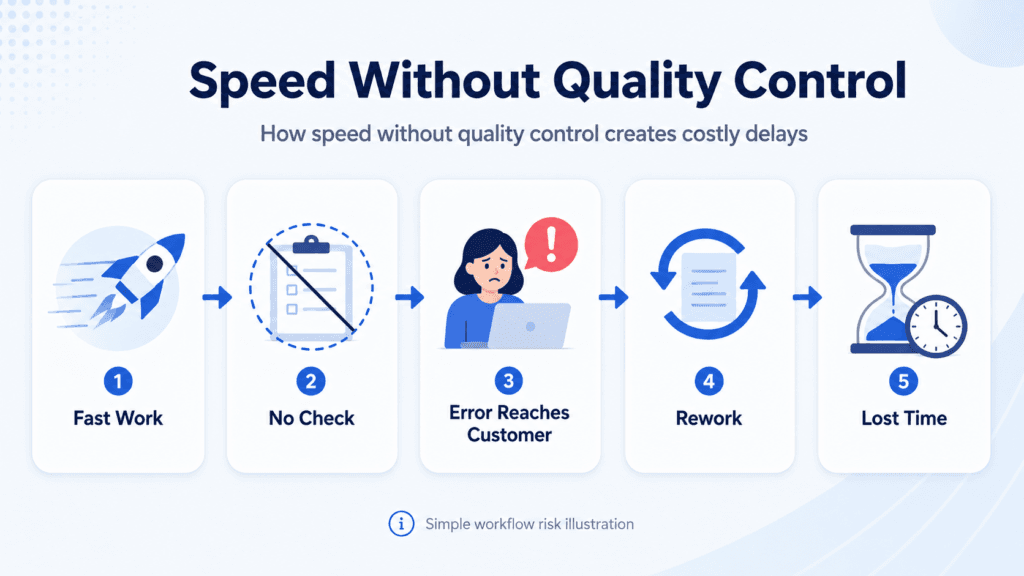
Fast Mistakes Are Still Mistakes
A workflow without quality control does not remove problems. It only moves them faster.
This can create a cycle:
First, the work is completed quickly.
Next, someone finds a mistake.
Then, the team stops everything to fix it.
Finally, the business loses the time it saved earlier.
This is why speed must be supported by simple checks. A fast workflow should not only deliver work quickly. It should deliver work that is ready to use.
The Hidden Cost of Poor Quality
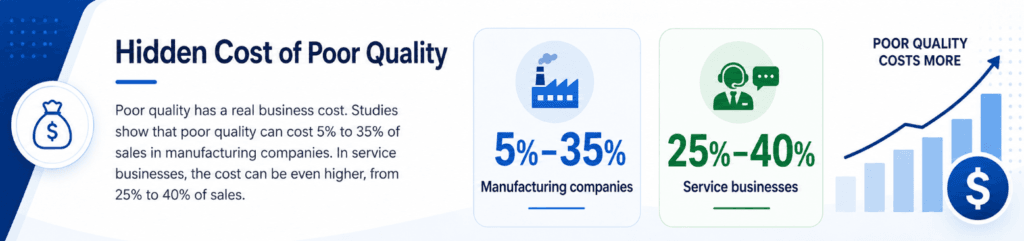
Poor quality can be expensive.
It affects money, time, trust, and team energy. Many businesses do not see this cost at first. But over time, it becomes clear.
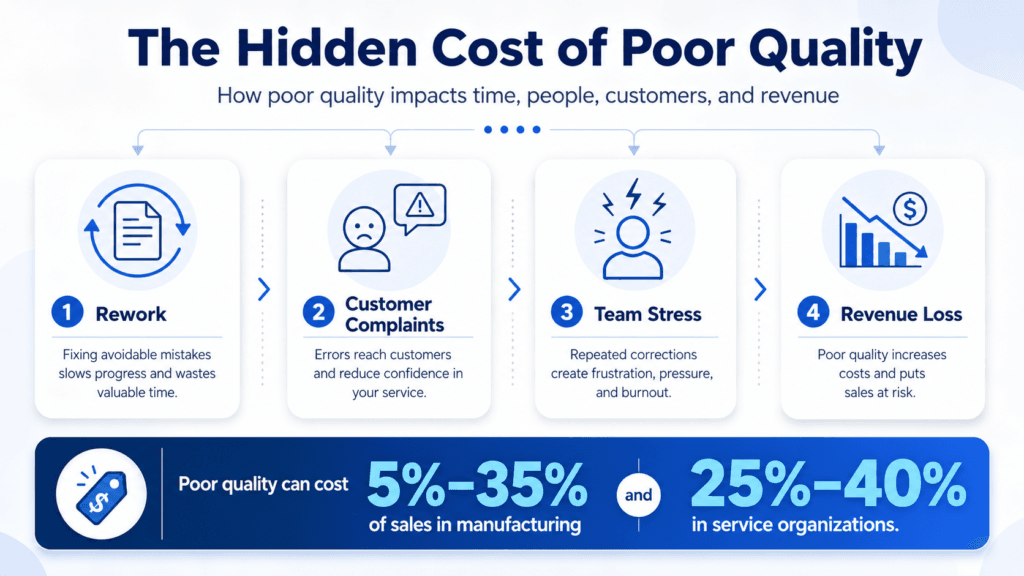
When teams skip quality checks, they often spend more time fixing mistakes. This is called rework.
Rework can happen in many areas, such as:
- Software development
- Content creation
- Finance reports
- Customer service
- Operations
- Compliance work
- Data entry
In every case, the result is the same. The team has to do the same work again.
1. Rework Wastes Time
It is usually easier to fix a mistake early.
For example, checking a number before a report is sent may take only a few minutes. But fixing that same number after the client sees it can take hours.
The mistake may also affect other people, systems, or decisions.
So, the later the error is found, the harder it becomes to correct.
Simple quality checks can prevent this. They help teams catch mistakes before they become bigger issues.
2. Poor Quality Reduces Customer Trust
Customers like fast service. But they also expect accurate service.
If customers keep finding errors, they may lose confidence in your business. They may feel that your team is careless. They may also feel that they are doing your checking for you.
This can damage trust.
Quality is not only an internal process. It is part of the customer experience.
When work is accurate, customers feel safe. They trust your team more. They are also more likely to continue working with you.
3. Rework Creates Team Stress
Poor quality also affects employees.
No one likes doing the same task twice. When people keep fixing avoidable mistakes, they can become tired and frustrated.
Over time, the team may move into crisis mode.
Instead of improving the process, they spend time solving problems. Instead of planning ahead, they react to urgent issues.
This can reduce morale and slow down the whole business.
Quality Control Should Not Slow You Down
Many teams think quality control will make work slower.
But this is not always true.
Good quality control does not need to be a long approval process. It does not need to create delays. It only needs to add the right checks at the right time.
Think of quality control as a guardrail.
A guardrail does not stop the car. It keeps the car on the road.
In the same way, quality control keeps your workflow safe while your team moves fast.
Fast Workflow vs Quality Workflow
A fast workflow focuses on finishing more tasks.
A quality workflow focuses on finishing work that is correct, useful, and ready.
That difference is important.
A fast workflow without checks may create more output. But much of that output may need correction.
A workflow with quality control creates better output. It reduces rework. It also gives the team more confidence.
So, the goal is not just speed. The goal is usable speed.
How to Build a Fast and Accurate Workflow
You do not need to choose between speed and quality.
The best workflows use both.
Here are three simple ways to improve quality without slowing down the team.
1. Automate Basic Checks
Automation can help your team catch simple mistakes.
For example, you can use tools to check:
- Spelling errors
- Missing fields
- Broken links
- Wrong formats
- Duplicate entries
- Data mistakes
These checks are helpful because people can miss small details when they are busy or tired.
Automation should not replace human review. But it can catch basic errors before a person does the final check.
This saves time and improves accuracy.
2. Use a Second Pair of Eyes
The person who creates the work should not be the only person who approves it.
When someone works on a task for a long time, they may stop seeing small mistakes. Their brain may read what they expect to see, not what is actually there.
A fresh reviewer can spot issues faster.
This does not always need to be a long review. Even a short check by another person can prevent many errors.
This method works well for reports, emails, customer updates, design work, system changes, and compliance tasks.
3. Define What “Done” Means
A task should not be marked complete just because the main work is finished.
Every workflow needs a clear definition of done.
This can be a short checklist with three to five key points.
For example:
- Is the data correct?
- Are all required fields completed?
- Has the final version been reviewed?
- Are names, numbers, and links correct?
- Is the work ready for the client or user?
This makes quality clear for everyone.
It also reduces confusion. The team knows exactly what must happen before a task is completed.
Why Small Checks Make a Big Difference
Quality control works best when it is part of the workflow.
Do not wait until the end to check everything. That can create pressure and delay.
Instead, add small checks throughout the process.
For example, check the data before submission. Review the content before publishing. Test the system before release. Confirm the details before sending the final report.
These small checks reduce risk.
They also make the final review easier.
Speed and Quality Work Better Together
Speed and quality are not enemies.
In fact, quality can make your workflow faster in the long run.
When work is done right the first time, there are fewer corrections. There are fewer delays. There is less stress. The team can focus on new work instead of fixing old mistakes.
This creates a better workflow for everyone.
Your team saves time. Your customers get better results. Your business protects its reputation.
Final Thoughts
Fast workflows are useful. But speed without quality control can create hidden problems.
A fast process should not only help your team finish work quickly. It should help your team finish work correctly.
Quality control does not need to be complicated. Simple checks, automation, second reviews, and clear checklists can make a big difference.
So, do not just move fast.
Move fast with accuracy.
That is how teams save time, reduce stress, build trust, and deliver better results.
Sources
- CISQ – Cost of Poor Software Quality in the U.S. 2022 Report:
- Gartner – Data Quality Cost:
- PwC – 2025 Customer Experience Survey:
- Zendesk – Customer Experience Statistics 2026:
- IBM Rational / NIST – Cost of Fixing Defects Later:
- ASQ – Cost of Quality / Cost of Poor Quality Definition:
